Showing posts with label Python. Show all posts

Always look on the bright side of Life!

The best chapter of book 'Learning Python'

"Once you finish the quiz, you’ve officially reached the end of this book. Now that you

know Python inside and out, your next step, should you choose to take it, is to explore
the libraries, techniques, and tools available in the application domains in which you
work. Because Python is so widely used, you’ll find ample resources for using it in
almost any application you can think of—from GUIs, the Web, and databases to numeric
programming, robotics, and system administration.

This is where Python starts to become truly fun, but this is also where this book’s story
ends, and others’ begin. For pointers on where to turn after this book, see the list of
recommended follow-up texts in the Preface. Good luck with your journey. And of course,
Always look on the bright side of Life!

-Mark Lutz, the author of "Learning Python"


Configuring Python Matplotlib plot to GUI/X and Configuring TK for Python


To configure Python Matplotlib to display to GUI/X. You need to configure Matplotlib backend to be 'TKAgg' (default is Agg).

Problem:
Most Python compilers delivered with major Linux distributions don't have tcl/tk configured during the build. To test, try 'import Tkinter' in your Python. The underlying shared object is _tkinter.so. Tkinter is required by Matplotlib to enable TKAgg backend.

If your Python is not configured for Tk, you will need to rebuild Python compiler with tcl/tk and possibly rebuild matplotlib.

The key of configuring tcl/tk for Python compiler is to include tcl/tk header files while building Python compiler.

If you don't have root on the system, the best way is to download tcl/tk. Otherwise, you can just rpm tcl/tk devel RPMs. In either cases, you should install the correct version of header files as your system tcl/tk binary/libs.

Below are the detail steps to build everything from source code, it takes about 1 hour.

1. Build tcl 8.4.13
Download at:
http://www.linuxfromscratch.org/blfs/view/6.2.0/general/tcl.html
use --prefix to install at a non-standard location, e.g.
./configure --prefix=/home/sjing/tools

2. Build tk

Download at: http://www.linuxfromscratch.org/blfs/view/6.2.0/general/tk.html
use ./configure --prefix to install at a non-standard location, e.g.
./configure --prefix=/home/sjing/tools


3. Build Python with tkinter and Unicode4 (check your current system python compiler's ucs setting, see Reference 1 below. This will ensure your new Python compiler is compatible with your system's)
./configure --enable-unicode=ucs4 --prefix=/home/sjing/tools

To include tcl/tk in Python, you need to compile Python with tcl/tk header files in the -I path.

If you download tcl/tk from the above sites (step 1, 2), please edit Makefile and add tcl.h/tk.h headers path in CPPFLAGS macro

for example: assume /home/sjing/tools/include has tk.h andtcl.h from step 1 and 2.

CPPFLAGS= -I. -I$(srcdir)/Include -I/home/sjing/tools/include


-bash-3.2$ rpm -qa | grep ^tk
tk-devel-8.4.13-5.el5_1.1
tk-8.4.13-5.el5_1.1
tk-devel-8.4.13-5.el5_1.1
tk-8.4.13-5.el5_1.1
-bash-3.2$ rpm -qa | grep ^tcl
tcl-8.4.13-4.el5
tcl-devel-8.4.13-4.el5
tcl-8.4.13-4.el5
tclx-8.4.0-5.fc6
tcl-devel-8.4.13-4.el5


Once make can find the header files, build it and see the process of
building _tkinter.so file.

-------------
make

building '_tkinter' extension
gcc -pthread -DNDEBUG -g -O3 -Wall -Wstrict-prototypes -fPIC -fno-strict-aliasing -DWITH_APPINIT=1 -I/usr/X11/include -I. -I/home/sjing/downloads/Python-2.4.3/./Include -I/home/sjing/tools/include -I/usr/local/include -I/home/sjing/downloads/Python-2.4.3/Include -I/home/sjing/downloads/Python-2.4.3 -c /home/sjing/downloads/Python-2.4.3/Modules/_tkinter.c -o build/temp.linux-x86_64-2.4/_tkinter.o
gcc -pthread -DNDEBUG -g -O3 -Wall -Wstrict-prototypes -fPIC -fno-strict-aliasing -DWITH_APPINIT=1 -I/usr/X11/include -I. -I/home/sjing/downloads/Python-2.4.3/./Include -I/home/sjing/tools/include -I/usr/local/include -I/home/sjing/downloads/Python-2.4.3/Include -I/home/sjing/downloads/Python-2.4.3 -c /home/sjing/downloads/Python-2.4.3/Modules/tkappinit.c -o build/temp.linux-x86_64-2.4/tkappinit.o
gcc -pthread -shared build/temp.linux-x86_64-2.4/_tkinter.o build/temp.linux-x86_64-2.4/tkappinit.o -L/usr/X11/lib -L/home/sjing/tools/lib -L/usr/local/lib -ltk8.4 -ltcl8.4 -lX11 -o build/lib.linux-x86_64-2.4/_tkinter.so
--------------


4. Build matplotlib
Edit setupext.py and add tcl/tk location in 'basdir' dictionary.
(x84_64 bit uses 'linux2' key)
50 basedir = {
...
57 'linux2' : ['/usr/local', '/usr','/home/sjing/tools'],
...
78 }

To confirm Tkinter will be built with matplotlib.
Make sure you use the Python compiler you just built with tcl/tk by adding the path of Python in front of your old python path.

-bash-3.2$ export PATH=/home/sjing/tools/bin:$PATH
( or /home/sjing/tools/bin/python setup.py build )

-bash-3.2$ python setup.py build
basedirlist is: ['/usr/local', '/usr', '/home/sjing/tools']
============================================================================
BUILDING MATPLOTLIB
matplotlib: 1.0.1
python: 2.4.3 (#1, Mar 29 2011, 14:57:37) [GCC 4.1.2
20080704 (Red Hat 4.1.2-48)]
platform: linux2

REQUIRED DEPENDENCIES
numpy: 1.2.0
freetype2: 9.10.3

OPTIONAL BACKEND DEPENDENCIES
libpng: 1.2.10
Tkinter: Tkinter: 39220, Tk: 8.4, Tcl: 8.4

Install matplotlib module:
-bash-3.2$ python setup.py install --prefix=/home/sjing/tools


5. Download matplotlib examples at http://matplotlib.sourceforge.net/examples/index.html


run the examples that use tk
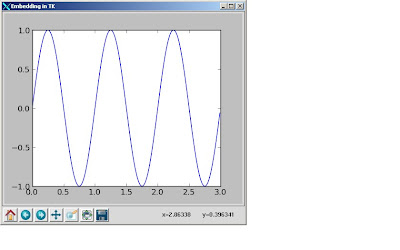
animation example code: animate_decay_tk_blit.py
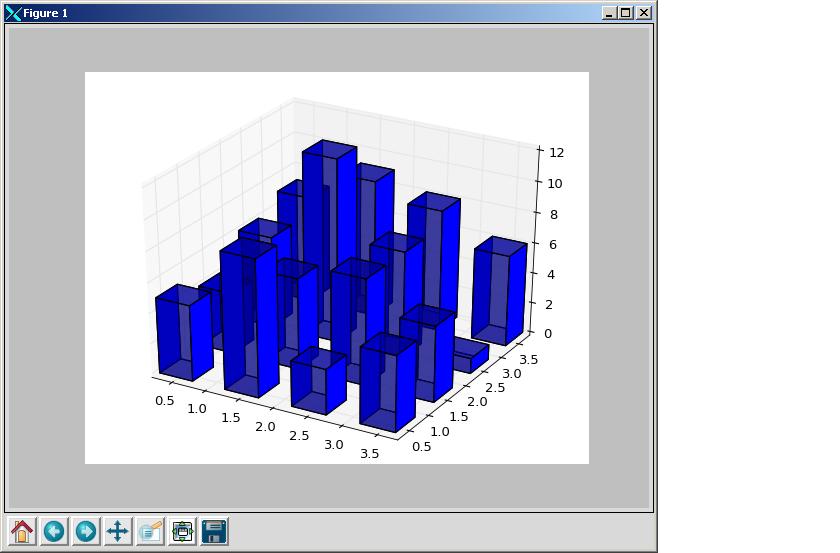
mplot3d example code: 2dcollections3d_demo.py


6. As long as your newly build and system python compilers are the same version and build with the same paramters (ucs), you should be able to run all your existing python codes/modules with the new compiler. But the best way is your System Adminsitrator update the system wide Python compile with tcl/tk following this guide.


Reference 1:

To check your Python is built with ucs2 or ucs4
1. ucs4
>>> import sys
>>> print sys.maxunicode
1114111

2. ucs2
>>> import sys
>>> print sys.maxunicode
65535

Reference 2:

matplotlibrc (lines defining backend and interactive mode)
--------------------------------------
backend : TKAgg
backend_fallback: True
interactive : False
------------------

Memcache and Binary Protocol

A very good Memcache Story explains memcache basic.

Article about binary protocol.

Python: Check Python Syntax with -m Switch

Use Python -m switch and py_compile module to check Python syntax.

Python code with error at line 11

1 #!/usr/bin/python
2
3 import os
4 import time
5
6 prcfile="/home/sjing/prod/man/python/batch_cf/tmpfile"
7 while True:
8 fsize=int(os.path.getsize(prcfile))
9 print "file %s size is : %d" % (prcfile,fsize)
10 time.sleep(10)
11 if fsize == int(os.path.getsize(prcfile))
12 print "transaction is done. Exit\n"
13 break


-bash-3.2$ python -m py_compile test.py
File "test.py", line 11
if fsize == int(os.path.getsize(prcfile))
^
SyntaxError: invalid syntax


python -v will disply module initialization message:

-bash-3.2$ python -v -m py_compile test.py
# installing zipimport hook
import zipimport # builtin
# installed zipimport hook
# /appl/mtg/dev/vendor/python/lib/python2.4/site-packages/site.pyc matches /appl/mtg/dev/vendor/python/lib/python2.4/site-packages/site.py
import site # precompiled from /appl/mtg/dev/vendor/python/lib/python2.4/site-packages/site.pyc
import imp # builtin
# /usr/lib64/python2.4/os.pyc matches /usr/lib64/python2.4/os.py
import os # precompiled from /usr/lib64/python2.4/os.pyc
import posix # builtin
# /usr/lib64/python2.4/posixpath.pyc matches /usr/lib64/python2.4/posixpath.py
import posixpath # precompiled from /usr/lib64/python2.4/posixpath.pyc
# /usr/lib64/python2.4/stat.pyc matches /usr/lib64/python2.4/stat.py
import stat # precompiled from /usr/lib64/python2.4/stat.pyc
import errno # builtin
# /usr/lib64/python2.4/UserDict.pyc matches /usr/lib64/python2.4/UserDict.py
import UserDict # precompiled from /usr/lib64/python2.4/UserDict.pyc
# /usr/lib64/python2.4/copy_reg.pyc matches /usr/lib64/python2.4/copy_reg.py
import copy_reg # precompiled from /usr/lib64/python2.4/copy_reg.pyc
# /usr/lib64/python2.4/types.pyc matches /usr/lib64/python2.4/types.py
import types # precompiled from /usr/lib64/python2.4/types.pyc
# /usr/lib64/python2.4/site.pyc matches /usr/lib64/python2.4/site.py
import site # precompiled from /usr/lib64/python2.4/site.pyc
import japanese # directory /usr/lib64/python2.4/site-packages/japanese
# /usr/lib64/python2.4/site-packages/japanese/__init__.pyc matches /usr/lib64/python2.4/site-packages/japanese/__init__.py
import japanese # precompiled from /usr/lib64/python2.4/site-packages/japanese/__init__.pyc
import japanese.aliases # directory /usr/lib64/python2.4/site-packages/japanese/aliases
# /usr/lib64/python2.4/site-packages/japanese/aliases/__init__.pyc matches /usr/lib64/python2.4/site-packages/japanese/aliases/__init__.py
import japanese.aliases # precompiled from /usr/lib64/python2.4/site-packages/japanese/aliases/__init__.pyc
import encodings # directory /usr/lib64/python2.4/encodings
# /usr/lib64/python2.4/encodings/__init__.pyc matches /usr/lib64/python2.4/encodings/__init__.py
import encodings # precompiled from /usr/lib64/python2.4/encodings/__init__.pyc
# /usr/lib64/python2.4/codecs.pyc matches /usr/lib64/python2.4/codecs.py
import codecs # precompiled from /usr/lib64/python2.4/codecs.pyc
import _codecs # builtin
# /usr/lib64/python2.4/encodings/aliases.pyc matches /usr/lib64/python2.4/encodings/aliases.py
import encodings.aliases # precompiled from /usr/lib64/python2.4/encodings/aliases.pyc
# zipimport: found 10 names in /appl/mtg/dev/vendor/python/lib64/python2.4/site-packages/python_sybase-0.39-py2.4-linux-x86_64.egg
# zipimport: found 50 names in /appl/mtg/dev/vendor/python/lib64/python2.4/site-packages/simplejson-2.0.9-py2.4-linux-x86_64.egg
# zipimport: found 77 names in /appl/mtg/dev/vendor/html5lib/lib/python/html5lib-0.90-py2.4.egg
# /usr/lib64/python2.4/new.pyc matches /usr/lib64/python2.4/new.py
import new # precompiled from /usr/lib64/python2.4/new.pyc
# /usr/lib64/python2.4/warnings.pyc matches /usr/lib64/python2.4/warnings.py
import warnings # precompiled from /usr/lib64/python2.4/warnings.pyc
# /usr/lib64/python2.4/linecache.pyc matches /usr/lib64/python2.4/linecache.py
import linecache # precompiled from /usr/lib64/python2.4/linecache.pyc
# /usr/lib64/python2.4/encodings/ascii.pyc matches /usr/lib64/python2.4/encodings/ascii.py
import encodings.ascii # precompiled from /usr/lib64/python2.4/encodings/ascii.pyc
Python 2.4.3 (#1, Jun 11 2009, 14:09:37)
[GCC 4.1.2 20080704 (Red Hat 4.1.2-44)] on linux2
Type "help", "copyright", "credits" or "license" for more information.
import marshal # builtin
# /usr/lib64/python2.4/traceback.pyc matches /usr/lib64/python2.4/traceback.py
import traceback # precompiled from /usr/lib64/python2.4/traceback.pyc
File "test.py", line 11
if fsize == int(os.path.getsize(prcfile))
^
SyntaxError: invalid syntax
# clear __builtin__._
# clear sys.path
# clear sys.argv
# clear sys.ps1
# clear sys.ps2
# clear sys.exitfunc
# clear sys.exc_type
# clear sys.exc_value
# clear sys.exc_traceback
# clear sys.last_type
# clear sys.last_value
# clear sys.last_traceback
# clear sys.path_hooks
# clear sys.path_importer_cache
# clear sys.meta_path
# restore sys.stdin
# restore sys.stdout
# restore sys.stderr
# cleanup __main__
# cleanup[1] japanese
# cleanup[1] errno
# cleanup[1] imp
# cleanup[1] _codecs
# cleanup[1] new
# cleanup[1] zipimport
# cleanup[1] warnings
# cleanup[1] site
# cleanup[1] signal
# cleanup[1] traceback
# cleanup[1] linecache
# cleanup[1] posix
# cleanup[1] marshal
# cleanup[1] japanese.aliases
# cleanup[1] encodings
# cleanup[1] encodings.ascii
# cleanup[1] codecs
# cleanup[1] types
# cleanup[1] encodings.aliases
# cleanup[1] exceptions
# cleanup[2] copy_reg
# cleanup[2] posixpath
# cleanup[2] os.path
# cleanup[2] stat
# cleanup[2] UserDict
# cleanup[2] os
# cleanup sys
# cleanup __builtin__
# cleanup ints: 810 unfreed ints in 21 out of 26 blocks
# cleanup floats


Correct the code's error and check again

1 #!/usr/bin/python
2
3 import os
4 import time
5
6 prcfile="/home/sjing/prod/man/python/batch_cf/tmpfile"
7 while True:
8 fsize=int(os.path.getsize(prcfile))
9 print "file %s size is : %d" % (prcfile,fsize)
10 time.sleep(10)
11 if fsize == int(os.path.getsize(prcfile)):
12 print "transaction is done. Exit\n"
13 break


-bash-3.2$ python -m py_compile test.py
-bash-3.2$

No error found.


Debugging Python in ipython and ipdb

In this blog, I'm going to demonstrate some very useful features of ipython, especially when debugging python using ipdb; examining objects and step into pdb/ipdb from Python code, etc.

You should know how to use pdb to debug python, if not, please visit my other blog article.

I'll briefly describe how to exam objects and name space in iPython and then demonstrate how to debug Python in iPython/ipdb.

Note: a quick link to ipython. (make sure you come back here after reading the external page)

(*** Very Important ***)
If your ipython is 0.10 or earlier version, you need to do the following to fix a bug in checkline() method in IPython/Debugger.py.

shan@ub1:~/code$ python
Python 2.6.4 (r264:75706, Dec 7 2009, 18:45:15)
[GCC 4.4.1] on linux2
Type "help", "copyright", "credits" or "license" for more information.
>>> import IPython
>>> IPython.Debugger.__file__
'/usr/local/lib/python2.6/dist-packages/IPython/Debugger.py'

wget the updated Debugger.py from here and replace the above Debugger.py with the new one. That's it.


Let's start with examining object and name space in ipython:

1. Start ipdb from ipython: (a very useful way to debug python code)

First, let's start ipython

shan@ub1:~/code$ ipython
Python 2.6.4 (r264:75706, Dec 7 2009, 18:45:15)
Type "copyright", "credits" or "license" for more information.

IPython 0.10 -- An enhanced Interactive Python.
? -> Introduction and overview of IPython's features.
%quickref -> Quick reference.
help -> Python's own help system.
object? -> Details about 'object'. ?object also works, ?? prints more.

In [1]:
The first few lines already show the most important tricks of ipython. The problem is most people rarely read it!


Now, let's import test code and see some of the features python IDLE doesn't offer.

shan@ub1:~/code$ ipython
Python 2.6.4 (r264:75706, Dec 7 2009, 18:45:15)
Type "copyright", "credits" or "license" for more information.

IPython 0.10 -- An enhanced Interactive Python.
? -> Introduction and overview of IPython's features.
%quickref -> Quick reference.
help -> Python's own help system.
object? -> Details about 'object'. ?object also works, ?? prints more.

In [1]: import test2

In [2]: import sys

In [3]: import os

In [4]: who
os sys test2

In [5]: whos
Variable Type Data/Info
------------------------------
os module
sys module
test2 module

In [6]: test2?
Type: module
Base Class:
String Form:
Namespace: Interactive
File: /home/shan/code/test2.py
Docstring:


In [7]: test2??
Type: module
Base Class:
String Form:
Namespace: Interactive
File: /home/shan/code/test2.py
Source:
#/usr/bin/env python

class Employee:
def __init__(self, name, title=None, phone=5551212):
self.name = name
self.title = title
self.phone = phone

def employee():
shan = Employee("Shan Jing","UNIX ADMIN","2720748")
import pdb;pdb.set_trace()
joe = Employee("Joe Smith","Application Developer","7207837")
print (shan.name, shan.title, shan.phone)
print (joe.name, joe.title, joe.phone)


if __name__ == '__main__':
employee()

In [8]:


In the above, we typed 7 commands (3 imports, who, whos, test2? and test2??):

From the output, I'm sure you already know what each command does. But just in case you need to know the detail about these commands, type '%cmd?' in ipython. (see below). By the way, this was printed in the last line of the ipython's startup message - "object? -> Details about 'object'. ?? prints more details about the object."

In [9]: %who?
Type: Magic function
Base Class:
String Form: >
Namespace: IPython internal
File: /usr/local/lib/python2.6/dist-packages/IPython/Magic.py
Definition: %who(self, parameter_s='')
Docstring:
Print all interactive variables, with some minimal formatting.

If any arguments are given, only variables whose type matches one of
these are printed. For example:

%who function str

will only list functions and strings, excluding all other types of
variables. To find the proper type names, simply use type(var) at a
command line to see how python prints type names. For example:

In [1]: type('hello')
Out[1]:

indicates that the type name for strings is 'str'.

%who always excludes executed names loaded through your configuration
file and things which are internal to IPython.

This is deliberate, as typically you may load many modules and the
purpose of %who is to show you only what you've manually defined.


whos gives extra information about an object.


Next, let's see how to use ipython to debug our code.

If you are already inside ipython, to start pdb/ipdb, all you need to do is run the code with -d option:

In [14]: run -d test2.py
*** Blank or comment
Breakpoint 1 at /home/shan/code/test2.py:3
NOTE: Enter 'c' at the ipdb> prompt to start your script.
> (1)()

ipdb> c
> /home/shan/code/test2.py(3)()
2
1---> 3 class Employee:
4 def __init__(self, name, title=None, phone=5551212):

ipdb> l
1 #/usr/bin/env python

2
1---> 3 class Employee:
4 def __init__(self, name, title=None, phone=5551212):
5 self.name = name
6 self.title = title
7 self.phone = phone
8
9 def employee():
10 shan = Employee("Shan Jing","UNIX ADMIN","2720748")
11 import pdb;pdb.set_trace()
ipdb> h

Documented commands (type help ):
========================================
EOF bt cont enable jump pdef r tbreak w
a c continue exit l pdoc restart u whatis
alias cl d h list pinfo return unalias where
args clear debug help n pp run unt
b commands disable ignore next q s until
break condition down j p quit step up

Miscellaneous help topics:
==========================
exec pdb

Undocumented commands:
======================
retval rv

As we can see, 'run -d code' brings us into ipdb. The rest is same as pdb except ipdb offers good features like command line completion, etc.


2. Set ipdb breakpoints from Python source code

First, you can always set pdb breakpoints as I described in a previous blog. After you pdb.set_trace(), when you run codes from ipython, it will open pdb instead of ipdb. The differences between pdb and ipdb is ipdb offers some features that ipython offers while pdb doesn't.

Now, if you want to set breakpoint and opens ipdb inside ipython when your code reaches the breakpoint, all you need to do is:

insert the following code at your breakpoint:

from IPython.Debugger import Tracer; breakpoint1 = Tracer()


Challenge: Write a vim key map to map F1 key in insert mode to insert a breakpoint in your source code without the need of typing the above import code. Also, map F6 key to open a shell in a split window then start ipython/ipdb to debug the code you are editting. Hint: vim's % variable and ConqueShell or Vimshell.

Answer: please refer to my previous blog Debugging Python with pdb.